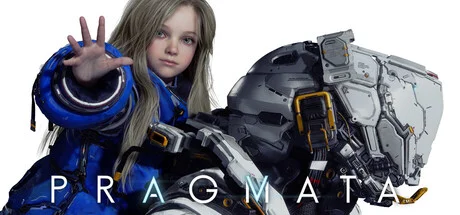
A brand-new sci-fi action-adventure IP from Capcom. Don't let the stunning next-gen visuals fool you—the PC port is incredibly well-optimized and runs like a dream even on modern mid-range rigs.
With low demands on both the CPU and GPU, pairing a modern mid-range setup with 16GB of RAM guarantees a smooth, high-fidelity experience.Stick to the RTX 30-series or newer to be safe. Go any older, and you risk severe frame drops well below the 60fps baseline depending on the tier.
Likely because it avoids the typical open-world bloat, the game runs incredibly light despite the stunning visuals. Based on our playtesting, it handles the Steam Deck like a champ. Knowing Capcom's track record, the odds of a meaty expansion dropping down the line are definitely not zero. Do yourself a favor and leave some performance headroom now to future-proof your rig for whatever comes next.
It doesn't have the Steam Deck 'Verified' badge yet, but given how lightweight the game is, it'll run completely fine on handhelds. If you're on a current-gen gaming laptop with Frame Gen, you can easily push gorgeous 4K Ray Tracing on the go.
The verdict is estimated based on hardware specifications, assuming a game resolution of 720p and settings at Medium or lower. A 'PLAYABLE' status does not guarantee actual gameplay performance.
PC Parts Selection Guide
PRAGMATA PC Component Selection & Build Strategy
Treat the 16GB RAM requirement as a non-negotiable minimum. For your CPU and GPU, prioritize buying into the 'latest generation' over raw brute-force power. This game heavily leverages modern tech like Frame Gen, so having newer architecture pays off way more than older, high-tier silicon.
CPU
Smooth Sailing Even Below Recommended Specs
❯Modern processors like the i5-13600K barely break a sweat, maxing out in the 20% utilization range.
❯The game is incredibly well-optimized and lightweight, making CPU bottlenecks practically a non-issue.
GPU
Breezy Native Performance + Modern Frame Gen Support
❯An RTX 3060-tier GPU easily locks in a rock-solid 60fps on 1080p Native Ultra.
❯Thanks to the latest frame gen tech, any modern mid-range GPU or better can comfortably tackle 4K and Ray Tracing.
RAM
16GB is the Hard Cutoff, 32GB is the Sweet Spot
❯Keep in mind that 16GB is the absolute baseline for a stable experience.
❯Don't cheap out here—it's worth reallocating some of your CPU/GPU budget to upgrade your RAM.
Storage
SSD Required. Small footprint, but 256GB is the floor
❯Factoring in future DLCs and expansions, 256GB is the non-negotiable minimum.
❯If your motherboard supports it, absolutely go for an NVMe SSD.
Pro Advice
BUILD BALANCE
CPU load is a breeze. Sticking to the recommended specs easily nets you 1080p Ultra at 60fps+. While older entry-level GPUs can manage 1080p Medium at 60fps, spending the extra cash on a modern entry-tier card just for frame gen support is an absolute no-brainer.
For a 2026 release, the system requirements strike a fair balance—it's not overly demanding, but it's not exactly a lightweight eSports title either. The 16GB minimum RAM requirement is very much the modern standard. Since you don't need to break the bank on your CPU and GPU, it’s a smart move to just spring for a 32GB kit.
The number of ● dots quantifies the performance level required from PC components on a scale of 1 to 10.
Minimum
Recommended
CPU
Core i5-8500
Ryzen 5 3500
CPU
Core i7-8700
Ryzen 5 5500
GPU
Radeon RX 5500 XT 4GB
GeForce GTX 1660
GPU
Radeon RX 6600
GeForce RTX 2060 SUPER
RAM
16 GB
RAM
16 GB
Storage
40 GB SSD
Storage
40 GB SSD
Requirement Context
1080p / 45 fps
Supported Tech (Upscaling & Frame Gen)
Upscaler:DLSSFSRXeSS
GPU Selection & FPS Analysis
PRAGMATA GPU Benchmark & FPS Guide
GPU requirements are tame, and with full support for modern Frame Generation, the strategy is simple: pick a card that can hit native 60fps at your target resolution. Let Frame Gen handle the rest to boost your averages and smooth out those 1% lows.
Target Mapping
If you don't care about pushing pixels and are happy with 1080p, an older mid-range card will handle this perfectly. But compared to other modern AAA titles, the barrier to entry for 4K is surprisingly low here—making it an excellent game to test the waters if you're looking to make the jump to 4K gaming.
ENTRY
ENTRY 45fps
1080p
Radeon RX 5500 XT 4GB OFFICIAL
GeForce GTX 1660 OFFICIAL
Radeon R9 290
Radeon RX 480 4GB
STANDARD
STANDARD 60fps
1080p
Radeon RX 6600 OFFICIAL
GeForce RTX 2060 SUPER OFFICIAL
Radeon RX 5500 XT 8GB USED
Radeon R9 Nano
QHD
QHD 60fps
1440p
GeForce RTX 2060 12GB USED
GeForce RTX 3060 12GB USED
GeForce RTX 2070 USED
Arc A580 USED
HIGH_REFRESH
HIGH_REFRESH 144fps
1080p
Radeon RX 6700 10GB USED
Radeon RX 7600 XT NEW
Arc A770 8GB USED
Arc A770 16GB USED
ULTIMATE
ULTIMATE 60fps
4K
Radeon RX 9060 NEW
Radeon RX 6800 USED
Radeon RX 7700 XT USED
GeForce RTX 3080 10GB USED
ENTRY
ENTRY 45fps
1080p
Radeon 890M (16CU) NEW
Arc Graphics (8 Xe-cores) USED
GeForce GTX 1060 (Laptop)
Radeon RX 6400 USED
STANDARD
STANDARD 60fps
1080p
Radeon RX 6500 XT USED
GeForce GTX 1070 (Laptop)
Radeon RX Vega 56M USED
Arc A570M USED
QHD
QHD 60fps
1440p
Arc A770M USED
GeForce RTX 2080 (Laptop) USED
Radeon RX 6700M USED
Radeon RX 7600M XT USED
HIGH_REFRESH
HIGH_REFRESH 144fps
1080p
Radeon RX 6800M USED
GeForce RTX 4070 (Laptop) USED
Radeon RX 6850M XT USED
GeForce RTX 3080 Ti (Laptop) USED
Technical Evidence
A modern mid-range build will easily blow past the official recommended specs. If you're shopping on the used market, treat the official requirements as your baseline—it's the safest bet to secure a smooth experience without overspending.
GPU Benchmarks
Official Minimum
Official Recommended
bld4me Choice
Arc B570 10GB bld4me NEW
Radeon RX 6600 Official Recommended
Radeon RX 5500 XT 4GB Official Minimum
Radeon RX 5500 XT 4GB bld4me USED
CPU Benchmarks
Official Minimum
Official Recommended
bld4me Choice
Ryzen 5 9600X bld4me NEW
Core i7-8700 Official Recommended
Ryzen 7 2700X bld4me USED
Core i5-8500 Official Minimum
This is a comparison graph of the manufacturer's minimum required specs, recommended specs, and bld4me-recommended parts (new and used). Higher values indicate smoother performance. bld4me's recommended parts are selected based on independent research, balancing comfortable gameplay with cost-performance for the game title.
GPU Matrix
GPUs sitting at the official recommended tier can easily push Ultra settings at 1080p. Just don't expect them to handle 4K or Ray Tracing—they simply lack the juice. You'll want to step up at least two GPU tiers if those are your goals.
GPU
720p
1080p
1440p
4K
bld4me NEW
Arc B570 10GB
LOW: 346fps,
MED: 259fps,
HIG: 199fps,
ULT: 140fps
LOW: 173fps,
MED: 130fps,
HIG: 100fps,
ULT: 70fps
LOW: 102fps,
MED: 76fps,
HIG: 59fps,
ULT: 41fps
LOW: 49fps,
MED: 37fps,
HIG: 28fps,
ULT: 20fps
Official Recommended
Radeon RX 6600
LOW: 267fps,
MED: 200fps,
HIG: 154fps,
ULT: 108fps
LOW: 133fps,
MED: 100fps,
HIG: 77fps,
ULT: 54fps
LOW: 78fps,
MED: 59fps,
HIG: 45fps,
ULT: 32fps
LOW: 38fps,
MED: 29fps,
HIG: 22fps,
ULT: 15fps
Official Minimumbld4me USED
Radeon RX 5500 XT 4GB
LOW: 165fps,
MED: 123fps,
HIG: 95fps,
ULT: 67fps
LOW: 82fps,
MED: 62fps,
HIG: 47fps,
ULT: 33fps
LOW: 48fps,
MED: 36fps,
HIG: 28fps,
ULT: 20fps
LOW: 24fps,
MED: 18fps,
HIG: 14fps,
ULT: Not playable
The FPS values above are estimated based purely on the GPU's native performance without any upscaler. These are merely estimates and do not guarantee actual performance.
Estimated FPS Database
PRAGMATAseo_benchmark_table_suffix
Estimated FPS on this site is calculated based on the official recommended requirements of each game, assuming only the GPU is changed. Actual frame rates may vary depending on the environment, such as the combined CPU, memory, and storage.
PRAGMATA
123 SKUS
Share PRAGMATA benchmarks for
GPU
Share
720PHD
1080PFHD
1440PQHD
4KUHD
Grade S
SUPREME"For those who refuse to compromise"
The ultimate GPU. Delivers premium 4K gaming at max settings.
LOW: 24fps, MED: 18fps, HIG: 14fps, ULT: Not playable
LOW: 12fps, MED: Not playable, HIG: Not playable, ULT: Not playable
Ranking Criteria Explained
S
SUPREME"For those who refuse to compromise"
The ultimate GPU. Delivers premium 4K gaming at max settings.
A
ADVANCED"If you crave that next level of smoothness"
A step-up GPU for chasing high refresh rates and stunning visuals.
B
BALANCED"bld4me's recommendation. The smart, well-balanced choice"
The smart pick—perfect balance of power and efficiency.
C
COMPETENT"Play at 1080p/Medium"
Ensures standard playability, delivering 30 to just under 60 FPS at 1080p/Medium settings.
The Bottom Line
The Game's Verdict: Recommended Specs & Grade
Capcom's next major IP joins the heavy-hitters like Monster Hunter, Resident Evil, and Street Fighter. But unlike MonHun's massive, resource-heavy pivot to open-world, the hardware demands here are remarkably forgiving.
Thanks to full Frame Gen support, the barrier to entry is incredibly low if you're perfectly fine with 1080p/Medium. The real win, though? Even if you want to push pixel-perfect 4K, you aren't forced to drop $1,500+ on a flagship GPU just to get it running smoothly.
FAQ
FAQ: PRAGMATA
What are the benchmark results and framerates for RX 560 4GB, GTX 1050 2GB in PRAGMATA?
The estimated average framerates for each GPU at 1080p (Full HD) on the Low preset are as follows:
RX 560 4GB: Approx. 38 fps (w/ FSR)
GTX 1050 2GB: Approx. 36 fps (w/ FSR)
Can GTX 750 Ti 2GB run PRAGMATA?
Unfortunately, running the game properly is highly unlikely. The graphics performance of these GPUs cannot handle the immense rendering workload of PRAGMATA. Even if the game launches, you will face extreme frame drops (10-20fps range), texture loading delays, or frequent freezes. Because severe rendering lag compromises the intended game experience, a GPU upgrade is mandatory to play this title.