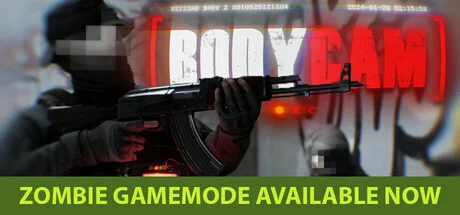
Powered by Unreal Engine 5, Bodycam is a multiplayer FPS delivering photorealistic graphics that genuinely look like live-action footage. However, pushing that level of extreme lighting and heavy texture processing absolutely hammers your GPU. If you want a smooth, playable framerate, a high-end, current-gen rig isn't just recommended—it's a hard requirement.
Expect a hefty budget for a current-gen build. Don't just blow all your cash on the GPU—you need to seriously invest in your CPU and RAM to avoid heavy bottlenecks.Even if you hunt for modern used parts, you still need mid-range gear at minimum, meaning your actual savings are marginal. You're probably better off just buying new.
Mechanically, it's a pretty straightforward FPS, but the lighting, shadow play, and insane level of detail are what make it special—and they demand serious raw GPU horsepower. Honestly, if you have to turn down the settings and sacrifice that visual fidelity, you're basically defeating half the purpose of playing the game in the first place. My takeaway? Don't even bother unless you're playing on a proper, full-fat desktop gaming rig.
This game is a heavyweight even for full desktop rigs. You *can* get it running on a handheld at 720p, but you're kissing the photorealistic graphics goodbye—it's strictly for casual sessions. As for gaming laptops, don't even bother unless you're packing current-gen silicon.
The verdict is estimated based on hardware specifications, assuming a game resolution of 720p and settings at Medium or lower. A 'PLAYABLE' status does not guarantee actual gameplay performance.
PC Parts Selection Guide
Bodycam PC Component Selection & Build Strategy
Even by today's standards, the system requirements are steep. A mid-range GPU is your absolute floor, and you need to budget properly for your CPU, RAM, and SSD to avoid crippling the system with bottlenecks. If you want the full 'photorealistic' experience, you're looking at a high-end build—even for 1080p.
CPU
Go above the recommended CPU to avoid severe bottlenecks
❯The GPU takes a beating, but the CPU load is no joke either. You'll want to aim higher than the official recommended specs.
❯Without enough CPU headroom, you'll hit a hard CPU bottleneck before your GPU even gets a chance to stretch its legs.
GPU
The 'Recommended' GPU is barely a baseline. Step up a tier.
❯The official recommended GPU will barely scrape by at 1080p / Medium settings / 60fps.
❯If you want a locked, stable 60fps without frame drops, an RTX 4060 Ti is your actual starting point.
RAM
High-speed, high-capacity RAM to kill micro-stutters
❯32GB is the sweet spot to comfortably clear the requirements and give your entire system plenty of breathing room.
❯16GB is the non-negotiable minimum. Pairing it with fast DDR5 will go a long way in stabilizing your 1% low framerates.
Storage
Gen4 NVMe SSDs for fast asset streaming
❯You need a fast Gen4 NVMe SSD to prevent nasty texture pop-in and asset streaming delays.
❯The official specs don't strictly mandate an SSD, but installing a modern Unreal Engine 5 game on a hard drive is asking for an unplayable, stuttery mess. Avoid HDDs at all costs.
Pro Advice
BUILD BALANCE
The hyper-realistic graphics are the main selling point here, but make no mistake: this game is incredibly demanding even on standard settings. If you actually want to experience those photorealistic visuals, high-end hardware isn't optional—it's a hard requirement.
At first glance, the official specs look like a standard mid-range build. Don't be fooled: those specs will barely scrape 60fps at 1080p Medium *native*. While the game supports frame generation, relying on it to hit 60fps in an FPS title is a recipe for brutal input lag.
The number of ● dots quantifies the performance level required from PC components on a scale of 1 to 10.
Minimum
Recommended
CPU
Core i7-9700K
Ryzen 7 3700X
CPU
Core i7-10700K
Ryzen 7 3800X
GPU
Radeon RX 5700
GeForce RTX 2070
GPU
Radeon RX 6600 XT
GeForce RTX 3060 12GB
RAM
8 GB
RAM
16 GB
Storage
50 GB HDD
Storage
50 GB HDD
Supported Tech (Upscaling & Frame Gen)
Upscaler:DLSSFSRTSR
Frame Gen:DLSS FGFSR FG
GPU Selection & FPS Analysis
Bodycam GPU Benchmark & FPS Guide
Seeing an RTX 3060 in the recommended specs might make you think you can get by with older mid-range hardware. That's dangerously optimistic. If you actually want the photorealism this game is known for, you need a high-end GPU paired with a beefy CPU to keep it fed.
Target Mapping
If you want to avoid motion sickness on a standard monitor (23 inches or larger), you really want to be playing at 1440p on High settings to maintain that crisp realism. Pushing those pixels causes the hardware demands to skyrocket, making a top-tier GPU mandatory.
ENTRY
ENTRY 30fps
1080p
Radeon RX 5700 OFFICIAL
GeForce RTX 2070 OFFICIAL
GeForce GTX 1660 USED
Radeon R9 Fury X
STANDARD
STANDARD 60fps
1080p
Radeon RX 6600 XT OFFICIAL
GeForce RTX 3060 12GB OFFICIAL
Radeon RX 7600 USED
Arc B570 10GB NEW
QHD
QHD 60fps
1440p
GeForce RTX 3080 10GB USED
GeForce RTX 4070 USED
GeForce RTX 3080 12GB USED
Radeon RX 6800 XT USED
HIGH_REFRESH
HIGH_REFRESH 144fps
1080p
GeForce RTX 4070 Ti USED
GeForce RTX 4070 Ti SUPER NEW
GeForce RTX 5070 NEW
Radeon RX 7900 XT USED
ULTIMATE
ULTIMATE 60fps
4K
GeForce RTX 4090 USED
ENTRY
ENTRY 30fps
1080p
GeForce GTX 1070 (Laptop)
Radeon RX Vega 56M USED
Arc A570M USED
GeForce GTX 1660 Ti (Laptop) USED
STANDARD
STANDARD 60fps
1080p
Radeon RX 7600M XT USED
GeForce RTX 3070 Ti (Laptop) USED
GeForce RTX 4060 (Laptop) USED
Radeon RX 6800M USED
QHD
QHD 60fps
1440p
GeForce RTX 4080 (Laptop) USED
GeForce RTX 4090 (Laptop) USED
HIGH_REFRESH
HIGH_REFRESH 144fps
1080p
No matching candidates found in database
Technical Evidence
Treat the officially recommended GPU as the absolute bare minimum. Realistically, you need to step up at least one tier to guarantee a locked 60fps. The recommended CPUs hold up okay, but if you want to completely eliminate bottlenecking, going with a current-gen processor is the smart play.
GPU Benchmarks
Official Minimum
Official Recommended
bld4me Choice
Arc B570 10GB bld4me NEW
Radeon RX 7600 bld4me USED
Radeon RX 6600 XT Official Recommended
Radeon RX 5700 Official Minimum
CPU Benchmarks
Official Minimum
Official Recommended
bld4me Choice
Ryzen 5 9600X bld4me NEW
Core i7-10700K Official Recommended
Ryzen 5 7600X bld4me USED
Core i7-9700K Official Minimum
This is a comparison graph of the manufacturer's minimum required specs, recommended specs, and bld4me-recommended parts (new and used). Higher values indicate smoother performance. bld4me's recommended parts are selected based on independent research, balancing comfortable gameplay with cost-performance for the game title.
GPU Matrix
Looking at the actual benchmark data, it's painfully clear that the recommended GPUs barely hold 60fps at 1080p Medium. Sure, frame generation will push the counter higher, but this is a fast-paced FPS—if your native framerate is sub-60, the added input lag is going to ruin the experience.
GPU
720p
1080p
1440p
4K
bld4me NEW
Arc B570 10GB
LOW: 161fps,
MED: 121fps,
HIG: 93fps,
ULT: 65fps
LOW: 80fps,
MED: 60fps,
HIG: 46fps,
ULT: 33fps
LOW: 47fps,
MED: 35fps,
HIG: 27fps,
ULT: 19fps
LOW: 23fps,
MED: 17fps,
HIG: 13fps,
ULT: Not playable
bld4me USED
Radeon RX 7600
LOW: 161fps,
MED: 121fps,
HIG: 93fps,
ULT: 65fps
LOW: 80fps,
MED: 60fps,
HIG: 46fps,
ULT: 33fps
LOW: 47fps,
MED: 35fps,
HIG: 27fps,
ULT: 19fps
LOW: 23fps,
MED: 17fps,
HIG: 13fps,
ULT: Not playable
Official Recommended
Radeon RX 6600 XT
LOW: 145fps,
MED: 109fps,
HIG: 84fps,
ULT: 59fps
LOW: 73fps,
MED: 55fps,
HIG: 42fps,
ULT: 29fps
LOW: 43fps,
MED: 32fps,
HIG: 25fps,
ULT: 17fps
LOW: 21fps,
MED: 16fps,
HIG: 12fps,
ULT: Not playable
Official Minimum
Radeon RX 5700
LOW: 124fps,
MED: 93fps,
HIG: 72fps,
ULT: 50fps
LOW: 62fps,
MED: 47fps,
HIG: 36fps,
ULT: 25fps
LOW: 36fps,
MED: 27fps,
HIG: 21fps,
ULT: 15fps
LOW: 18fps,
MED: 13fps,
HIG: 10fps,
ULT: Not playable
The FPS values above are estimated based purely on the GPU's native performance without any upscaler. These are merely estimates and do not guarantee actual performance.
Estimated FPS Database
Bodycamseo_benchmark_table_suffix
Estimated FPS on this site is calculated based on the official recommended requirements of each game, assuming only the GPU is changed. Actual frame rates may vary depending on the environment, such as the combined CPU, memory, and storage.
Bodycam
89 SKUS
Share Bodycam benchmarks for
GPU
Share
720PHD
1080PFHD
1440PQHD
4KUHD
Grade S
SUPREME"For those who refuse to compromise"
The ultimate GPU. Delivers premium 4K gaming at max settings.
LOW: 24fps, MED: 18fps, HIG: 14fps, ULT: Not playable
LOW: 12fps, MED: Not playable, HIG: Not playable, ULT: Not playable
Ranking Criteria Explained
S
SUPREME"For those who refuse to compromise"
The ultimate GPU. Delivers premium 4K gaming at max settings.
A
ADVANCED"If you crave that next level of smoothness"
A step-up GPU for chasing high refresh rates and stunning visuals.
B
BALANCED"bld4me's recommendation. The smart, well-balanced choice"
The smart pick—perfect balance of power and efficiency.
C
COMPETENT"Play at 1080p/Medium"
Ensures standard playability, delivering 30 to just under 60 FPS at 1080p/Medium settings.
The Bottom Line
The Game's Verdict: Recommended Specs & Grade
The graphics and camera work in this game are genuinely top-tier. With enough raw GPU horsepower driving the lighting and shadows, the level of detail is insane and the immersion is off the charts.
But that fidelity comes at a massive hardware cost. If you're chasing the photorealistic quality you see in those viral clips on social media, a high-end GPU isn't optional—it's absolutely mandatory.
That said, don't just dump your entire budget into the graphics card. Skimping on the CPU, RAM, or SSD will instantly create a severe system bottleneck, turning your gameplay into a stuttery mess. If you actually want to experience those true-to-life visuals smoothly, be prepared to invest heavily across your entire build.
FAQ
FAQ: Bodycam
Can I comfortably play Bodycam with RTX 3050 6GB, GTX 1060 6GB?
To be direct, achieving a completely comfortable experience will be challenging. While you can play by setting all graphics to 'Low' and utilizing upscalers, you will experience stuttering during intense combat or effects-heavy scenes. We recommend lowering texture and shadow quality first, and utilizing upscaler performance modes to test gameplay stability.
[Estimated Framerate (1080p / Low Preset)]
RTX 3050 6GB: Approx. 48 fps (w/ DLSS)
GTX 1060 6GB: Approx. 40 fps (w/ FSR)
What are the benchmark results and framerates for RX 580 8GB, A380, GTX 1060 3GB, RX 570 4GB, GTX 1650 in Bodycam?
The estimated average framerates for each GPU at 1080p (Full HD) on the Low preset are as follows:
RX 580 8GB: Approx. 37 fps (w/ FSR)
A380: Approx. 44 fps (w/ FSR FG)
GTX 1060 3GB: Approx. 35 fps (w/ FSR)
RX 570 4GB: Approx. 33 fps (w/ FSR)
GTX 1650: Approx. 33 fps (w/ FSR)
Can GTX 1050 Ti run Bodycam?
Unfortunately, running the game properly is highly unlikely. The graphics performance of these GPUs cannot handle the immense rendering workload of Bodycam. Even if the game launches, you will face extreme frame drops (10-20fps range), texture loading delays, or frequent freezes. Because severe rendering lag compromises the intended game experience, a GPU upgrade is mandatory to play this title.
Will Bodycam launch on RX 560 4GB, GTX 1050 2GB, GTX 750 Ti 2GB? Will it crash?
It is extremely likely that the game will crash on startup or fail to reach the main menu. In addition to severe performance deficits, these GPUs often lack the required VRAM capacity or modern architectural features, failing to meet the basic launch requirements. Since this is a hardware-level limitation that cannot be bypassed via settings, please ensure your system meets the official system requirements.