
NVIDIA GeForce RTX 5060 Ti 8GB Performance Comparison: Rival Models & Upgrade Paths
Equivalent Performance GPUs
Compare the NVIDIA GeForce RTX 5060 Ti 8GB against its closest performance rivals at equivalent settings.
Generational Performance Gap
Track the generational leap of the NVIDIA GeForce RTX 5060 Ti 8GB within its class, visualized in FPS.
High-Tier GPU Upgrades
Identify the best upgrade paths from the NVIDIA GeForce RTX 5060 Ti 8GB for 4K or high-refresh gaming.
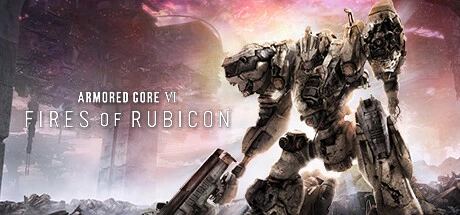
ARMORED CORE VI FIRES OF RUBICON x NVIDIA GeForce RTX 5060 Ti 8GB: Optimal Display Pairing
Sweet Spot Environment
The optimal configuration that most efficiently translates hardware performance into visual quality.
Very smooth and comfortable, but power is slightly underutilized at this resolution. Ideal for playing on high refresh rate monitors.
Stable performance consistently exceeding 60 FPS. With performance to spare, higher resolution environments are also an option.
The optimal resolution where your GPU performance is maximized. Perfect balance of density and response.
Optimal Monitor Size Guide for NVIDIA GeForce RTX 5060 Ti 8GB
Visual clarity scales differently depending on physical screen size. Use this matrix to check if your current or planned monitor pairs perfectly with this GPU.
| Resolution Class | FPS Target | 21" | 24" | 27" | 32" | 34" | 42" |
|---|---|---|---|---|---|---|---|
| 1080p | FPS LIMIT 144 | A S S | C B A | C B A | C C F | C C F | F F F |
FPS LIMIT 60 | A S S S | C B A A | C B A A | C C F F | C C F F | F F F F | |
FPS LIMIT 30 | A S S S | C B A A | C B A A | C C F F | C C F F | F F F F | |
| 1440p | FPS LIMIT 144 | A S | B B | B B | C C | C C | F F |
FPS LIMIT 60 | A S S S | B B A A | B B A A | C C B B | C C B B | F F F F | |
FPS LIMIT 30 | A S S S | B B A A | B B A A | C C B B | C C B B | F F F F | |
| 4K(2160p) | FPS LIMIT 144 | ||||||
FPS LIMIT 60 | A S | B B | B B | C C | C C | F F | |
FPS LIMIT 30 | A S S S | B B A A | B B A A | C C B B | C C B B | F F S S |
FAQ: ARMORED CORE VI FIRES OF RUBICON x NVIDIA GeForce RTX 5060 Ti 8GB
What is the optimal setting for playing ARMORED CORE VI FIRES OF RUBICON with NVIDIA GeForce RTX 5060 Ti 8GB?
With performance to spare, we recommend "1440p / Ultimate / FG: OFF". Increasing resolution allows you to enjoy maximum native fidelity without needing extra enhancements.
Can NVIDIA GeForce RTX 5060 Ti 8GB run ARMORED CORE VI FIRES OF RUBICON on Ultra settings?
Yes. NVIDIA GeForce RTX 5060 Ti 8GB averages 134 FPS on Ultra settings at 1080p, providing a smooth experience. You can also expect a playable average of 38 FPS at 4K on Ultra.
Can I play ARMORED CORE VI FIRES OF RUBICON at 4K resolution with NVIDIA GeForce RTX 5060 Ti 8GB?
Yes, you can. You can enjoy ARMORED CORE VI FIRES OF RUBICON at 4K on Standard settings with a smooth 71 FPS.
Can I use Frame Generation (DLSS 3 / FSR 3) in ARMORED CORE VI FIRES OF RUBICON with NVIDIA GeForce RTX 5060 Ti 8GB?
No. While your NVIDIA GeForce RTX 5060 Ti 8GB supports Frame Generation, ARMORED CORE VI FIRES OF RUBICON itself does not support this feature at this time.